Statistic Reporter Sample Profile Overview
This sample profile demonstrates how to get statistics on XEServer profiles processing by using the Statistic Reporter component.
Profile Location
Edifecs Library / ST Products Integration / Feature Usage / Statistic Reporter Sample
Requirements
- Edifecs XEServer 9.2.5 or later.
- Edifecs Application Manager (EAM) 9.2.5 or later.
- Edifecs XESManager 9.2.5 or later.
Prerequisites
- In Edifecs Application Manager, add the profile Statistic Reporter Sample from the Edifecs Library. For more information, see Edifecs Library Help Center.
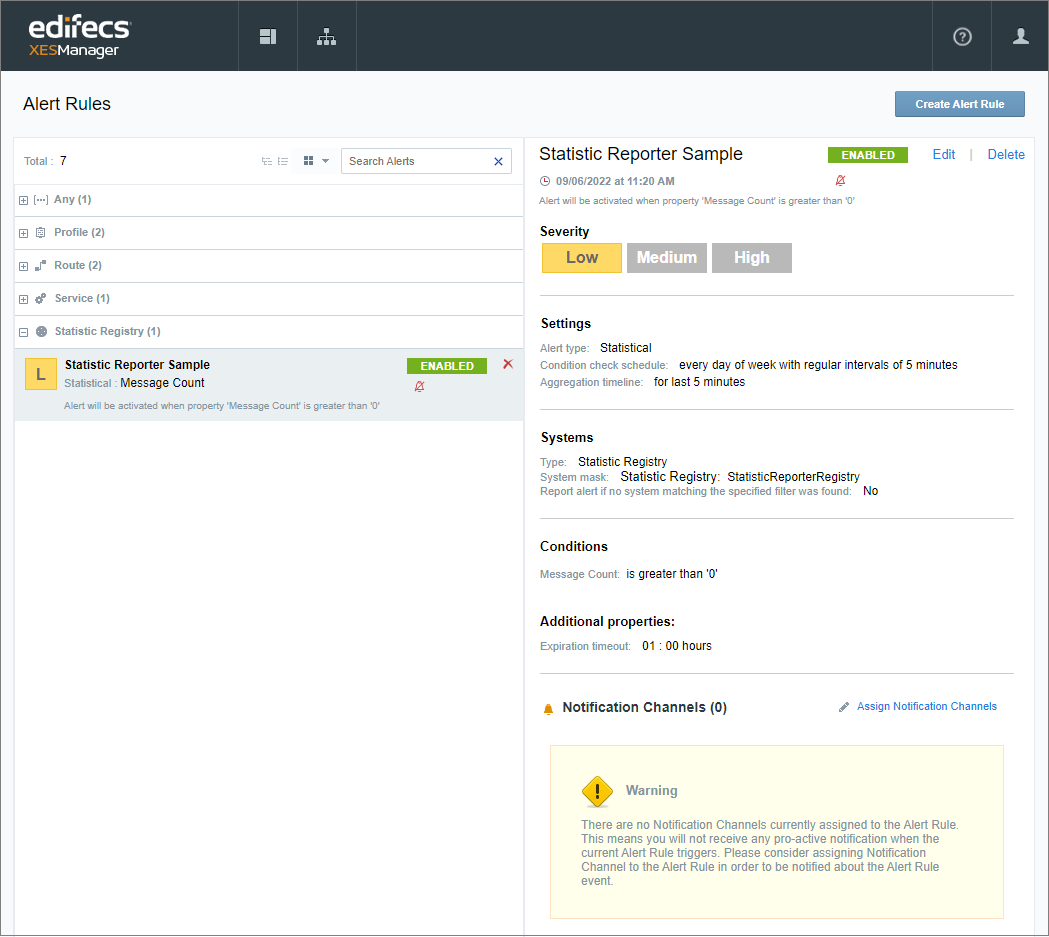
- In XESManager, deploy the Alert configuration XESManagerConfig-StatisticReporter.zip available as a part of the sample profile and located at ${XESProfileConfig}/config/samples/XESManager. Once deployed, the Alert is displayed on the Alert Rules page:
This is a low severity, statistical Alert. The Statistic Registry in the Systems section is the same as the Registry name used in the Statistic Reporter component settings in the sample profile. The Alert is configured to get triggered every five minutes and report how many messages have been processed. To configure conditions based on your business needs, refer to the XESManager Help Center.
 Profile Execution
- Start XESManager.
- In EAM, start the profile and verify that the route has been started.
- Put any two files to the folder ${XESWorkspace}/test-data/inbound.
- In XESManager, on the System Monitoring page, make sure the Agent is online.
- On the top menu, click
 , and then go to Alert Monitoring page.
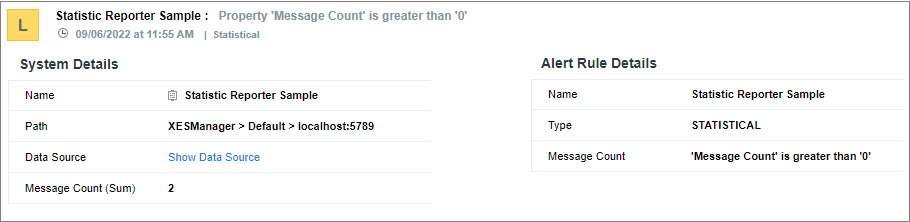
In five minutes (based on the alert schedule), the following Alert will be displayed: