Accept/Reject a Partnership Invitation
To accept or reject a partnership invitation:
When a partner invites you using the "Connect" method, then that partner is displayed on the Partners page in the status Pending Your Action. You can choose to accept or reject the partnership invitation.
- Open Trading Partner Management.
- On the Partners page, from the listed partners, select a partner with the status Pending Your Action.
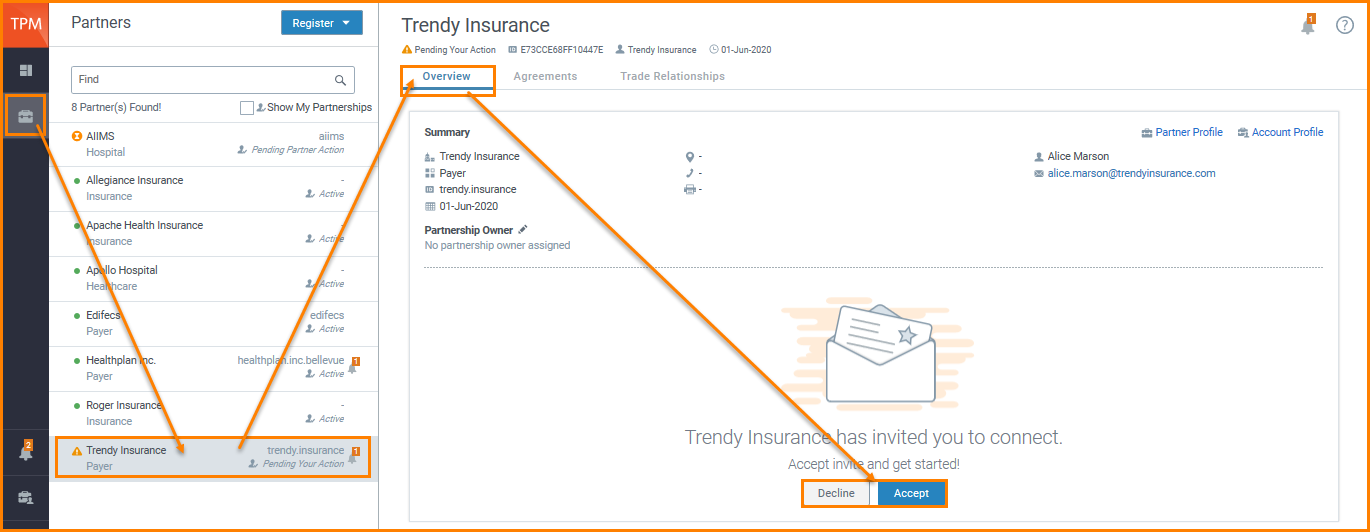
- On the Partner details page, click Accept or Decline.
When you accept the invitation, the partner is displayed with a green  icon. This indicates an Active status. icon. This indicates an Active status.
|
|


